HoneyBook vs Dubsado vs 17hats: Best Client Management for Freelancers and Creatives in 2026

A freelancer does not lose clients because the work is weak. A freelancer loses clients in the gaps: the inquiry that sits unanswered for a day, the proposal that needs three follow-up emails, the contract that waits for a signature while another photographer replies first, the invoice that goes out late because the project ended on a Friday. HoneyBook, Dubsado, and 17hats all promise to close those gaps with one pipeline from inquiry to booking to payment. They do it in very different ways, and the difference matters more than any feature checklist.
Here is the short version: HoneyBook is best for most freelancers and creatives who want a polished pipeline fast. Dubsado is best for operators who want to automate every step themselves and will invest the setup time to do it. 17hats is best for a solo owner who wants every core feature on one plan without tier math. The rest of this comparison tests that verdict against pricing, pipeline speed, automation, and the real annual cost.
Quick Verdict
If you need a client pipeline that looks professional this week, go with HoneyBook. If you need workflows that run themselves exactly the way you designed them, go with Dubsado Premier and accept the learning curve. If you need one plan that includes everything and you are comfortable paying for a few add-ons, go with 17hats on the two-year plan.
At-a-Glance Comparison
| Feature | HoneyBook | Dubsado | 17hats |
|---|---|---|---|
| HoneyBook / Dubsado / 17hats starting price | Starter $29/month billed annually ($36 monthly) | Starter $35/month ($335/year) | $60/month ($600/year; $800 for two years) |
| Free tier | No; trial available | No; 21-day trial | Free CRM plan, limited to 4 invoices per quarter |
| Core use case | Polished client pipeline for creatives and service businesses | Deep workflow automation for service businesses | All-in-one business management for solo owners |
| Standout feature | Proposal, contract, invoice, and payment in one client flow | Flows automation builder with deep customization | Single plan with no feature tier-gating |
| Automations | Essentials plan and above | Premier plan only | Included on the single plan |
| Integrations | QuickBooks Online (Essentials and above), Zapier | QuickBooks and Xero, Zapier (Premier) | QuickBooks Online add-on ($5/month), Zapier |
| Support quality | Priority support on Premium | Guided setup resources; community and support docs | Email and chat support; 30-day money-back guarantee |
HoneyBook Deep Dive
Best for: Creatives who want a polished pipeline without building it themselves
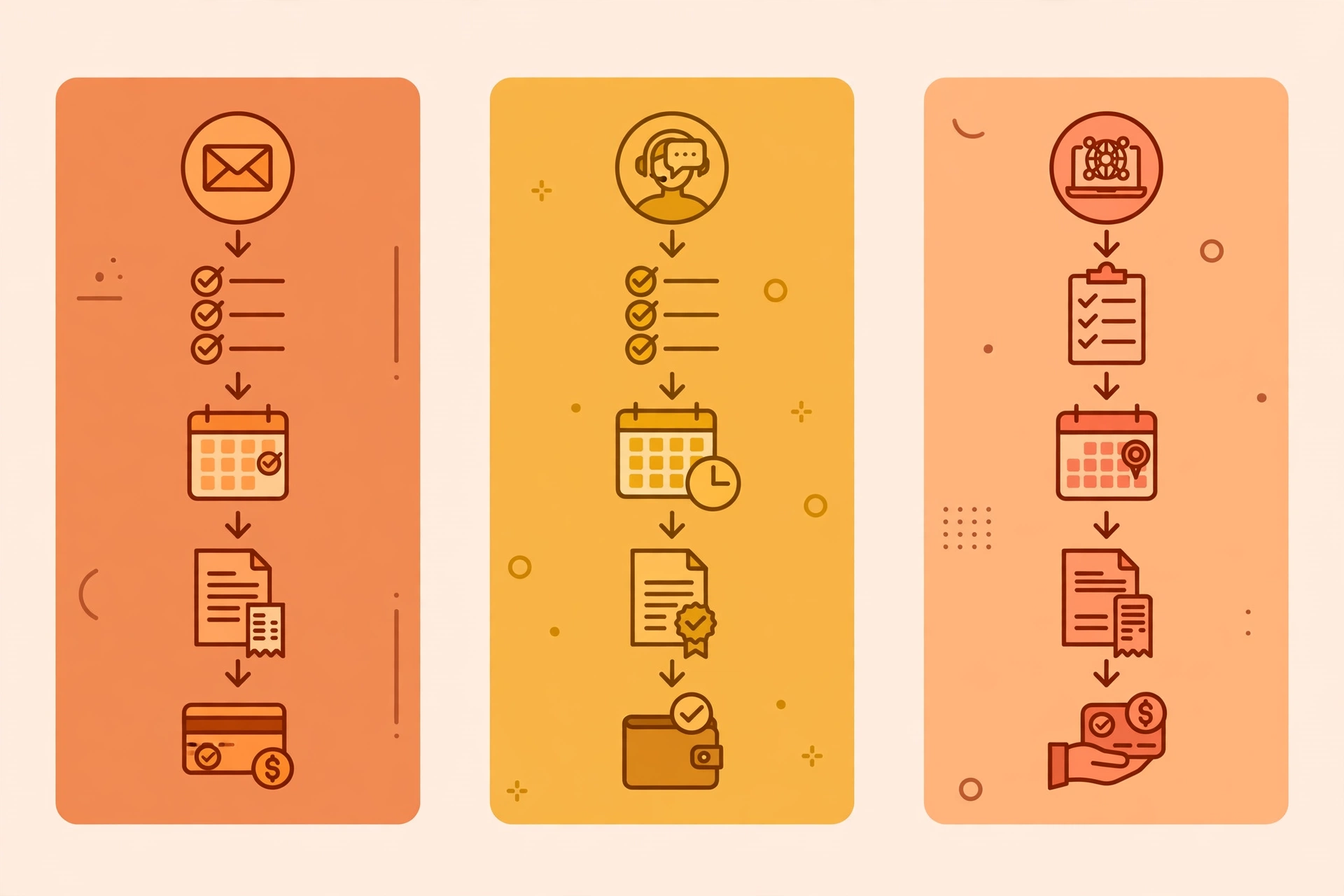
HoneyBook is built for photographers, wedding planners, designers, coaches, and other service businesses whose clients judge the booking experience as part of the service. An inquiry comes in through a lead form, moves into a proposal, then a contract, then an invoice and payment, all inside a branded client portal. Unlimited clients and projects are included on every plan, which removes the seat-counting anxiety that plagues other tools.
Pricing: Starter costs $29 per month billed annually ($36 month to month) and covers unlimited clients and projects, invoices, contracts, proposals, payments, and a client portal. Essentials costs $49 per month billed annually ($59 monthly) and adds the scheduler, workflow automations, QuickBooks Online sync, SMS reminders, up to two team members, and removal of HoneyBook branding. Premium costs $109 per month billed annually ($129 monthly) and adds unlimited team members, priority support, and multiple companies under one login. Payment processing sits on top of the subscription: HoneyBook’s plan grid lists card processing at 2.9% + $0.25 and bank transfer (ACH) at 1.5%. Note that some HoneyBook pages show a lower starting card rate, so confirm the current fee guide before you budget processing costs.
Use cases: A wedding photographer sends a proposal with package options, collects the contract signature and retainer in the same flow, and schedules the engagement session without a separate booking tool. A brand designer uses Essentials automations to send a welcome email, questionnaire, and payment reminder without tracking each step manually.
Pros:
- The most polished client-facing experience here: proposals, contracts, and payments feel like one product, not three bolted together.
- The fastest path from signup to a working pipeline, especially for visual creatives.
- Unlimited clients and projects on every plan, so growth does not trigger a plan change.
- HoneyBook AI features, including email drafts and follow-up suggestions, are included across plans.
Cons:
- Automations, scheduling, and QuickBooks sync all sit behind Essentials at $49 per month billed annually, so the $29 Starter plan is thinner than it first looks.
- HoneyBook is available only in the United States and Canada, which rules it out for freelancers serving clients from elsewhere as their home base.
- Processing fees and the Essentials upgrade together make the real first-year cost higher than the headline Starter price.
HoneyBook is the pick for a creative who would rather be shooting, designing, or coaching than configuring software. If your pipeline lives in email threads and PDF attachments, it is the largest single professionalism upgrade you can buy in a weekend.
Dubsado Deep Dive
Best for: Operators who want total control over every automated step
Dubsado is the tool for the freelancer who has a process in their head and wants software to run it exactly. Its signature feature is Flows, a visual automation builder that chains forms, contracts, invoices, emails, and scheduling into one workflow. Where HoneyBook gives you a finished pipeline, Dubsado gives you the parts and the workshop.
Pricing: Starter costs $35 per month or $335 per year and covers contracts, invoices, forms, client portals, email templates, and lead capture, with up to three users included. Premier costs $55 per month or $525 per year and adds automated workflows, scheduling, public proposals, Zapier, and bookkeeping integrations. Extra brands cost $10 per month each, and teams beyond three users pay $25 per month for 4 to 10 users. There is no free tier; the 21-day trial gives full Premier access with no credit card required. Payment processing depends on the gateway you connect, so gateway fees sit on top of the subscription.
Use cases: A photographer builds a Flow that sends a questionnaire after inquiry, a proposal after the questionnaire, then a contract, invoice, and reminder sequence if nothing is signed in five days. A small agency runs multiple brands from one account, each with its own portal and templates, for $10 per month per extra brand.
Pros:
- The deepest automation here: Flows can encode a genuinely complex onboarding sequence, not just a reminder email.
- Three users included on both plans, which makes Dubsado cheaper than it looks for a two- or three-person team.
- Public proposals and unlimited lead capture forms on Premier cover the top of the pipeline properly.
- Strong template and form customization for businesses with unusual intake needs.
Cons:
- The feature most people buy Dubsado for, automated workflows, is locked behind Premier at $525 per year, so Starter is a false economy for automation buyers.
- Setup takes real time: budget a week or two to build and test Flows before they touch a live client, and expect a learning curve the other two tools do not demand.
- Parts of the interface still feel dated next to HoneyBook, and the 3.0 rebuild means some long-time users are still adjusting to the new workflow builder.
Dubsado is the pick for the operator who already knows their process and wants it automated to the letter. If you enjoy building systems, it repays the setup time for years; if you want software that works well on day one with defaults, it will frustrate you first.
17hats Deep Dive
Best for: Solo owners who want everything on one plan
17hats takes the opposite approach to tiered pricing: one all-inclusive plan, three ways to pay. There are no feature-limited tiers to decode, and automations are included rather than gated. That simplicity is the whole pitch, and for a solo owner it is a real one.
Pricing: The single plan costs $60 per month, $600 per year ($50 per month effective), or $800 for two years (about $33 per month effective), with frequent first-purchase promotions on the longer terms. Add-ons cost $5 to $10 per month each: time tracking ($5), bank connection ($5), basic scheduling ($5), advanced scheduling ($10), recurring billing ($10), and QuickBooks Online ($5). Extra users cost $5 per month each and extra brands $10 per month each. A separate Free CRM plan offers unlimited contacts and projects but only four invoices per quarter, which suits a side hustle rather than an active business. The paid plan includes a 7-day free trial and a 30-day money-back guarantee. Card processing is listed at 2.9% + $0.25, with ACH bank transfers at 1.5%.
Use cases: A solo consultant runs contacts, projects, quotes, contracts, invoices, and bookkeeping from one login without checking which tier a feature sits on. A photographer adds scheduling and recurring billing as add-ons only when the business needs them.
Pros:
- No tier-gating: automations and core features are included on the one plan, so there is no Essentials-versus-Premier calculation.
- The cheapest effective monthly rate here on the two-year plan, about $33 per month, for a solo owner who can commit.
- Cheap extra users at $5 per month each, far below Dubsado’s team add-on pricing.
- A genuinely all-in-one scope, including bookkeeping tools, that the other two handle through integrations.
Cons:
- Add-ons stack up fast: scheduling, bank connection, time tracking, and QuickBooks together add $20 to $25 per month, pushing a realistic annual cost toward $700 to $900.
- The 7-day trial is the shortest here, which leaves little room to test a full pipeline before paying.
- The interface and template polish trail HoneyBook, so client-facing documents need more care to look as refined.
17hats is the pick for a solo owner who values predictable scope over polish and can live with add-on math: it is the most honest pricing model of the three.
Head-to-Head: The Criteria That Decide the Purchase
Inquiry-to-booking speed. HoneyBook wins. Its lead form, proposal, contract, and payment flow is the shortest path from “I am interested” to “I am booked,” which matters most for wedding and event creatives whose clients compare several vendors at once. Dubsado can match that speed once Flows are built, but not on day one.
Automation depth. Dubsado Premier wins by a clear margin. Its Flows builder handles branching, conditional follow-ups, and multi-step onboarding that the other two simplify. HoneyBook automations on Essentials cover common sequences well but offer less control. 17hats includes solid automation without tier games, but not Dubsado’s depth.
Proposal and contract polish. HoneyBook wins. Its proposals look like they came from a design studio, and the combined proposal-contract-invoice flow reduces the back-and-forth that kills bookings. Dubsado’s public proposals on Premier are strong and more customizable, but take more work to make beautiful.
True annual cost for a solo operator. 17hats wins on the two-year plan at $800 for two years before add-ons, followed by Dubsado Premier at $525 per year and HoneyBook Essentials at $588 per year. Once add-ons are counted, a 17hats user with scheduling, bank connection, and QuickBooks pays roughly $720 to $840 per year, putting all three in the same neighborhood. Price the plan you will actually use, not the headline plan.
Final Verdict
HoneyBook is the best client management tool for most freelancers and creatives in 2026, because the pipeline that matters most, inquiry to booking to payment, works beautifully with the least setup. Choose Dubsado Premier if you run a process-heavy business and want automation you control down to the last email; accept the setup week as the price of that control. Choose 17hats if you are a solo owner who wants one plan, no tier traps, and the lowest long-term rate, and you are willing to pay for add-ons one at a time.
By freelancer type: wedding photographers and event creatives should start with HoneyBook, because booking speed and presentation win jobs. Brand designers and consultants with a repeatable onboarding sequence should start with Dubsado Premier. Solo consultants and coaches who want bookkeeping and client management in one place should start with 17hats on the annual or two-year plan.
If proposal design alone is driving the decision, compare the dedicated options in our best AI proposal tools for freelancers and agencies guide first. If bookkeeping integration matters more than pipeline polish, our best AI bookkeeping tools for small business guide covers the accounting side, and our DocuSign vs PandaDoc vs Dropbox Sign comparison is worth reading before you commit to any contract workflow.
How We Compared
We scored each tool on inquiry-to-booking speed, proposal and contract polish, automation depth, payment and bookkeeping fit, and true annual cost for a solo operator, weighting pipeline speed and automation highest because those two decide whether clients actually book and whether the owner actually saves time. Pricing checked against the vendors’ pricing pages in November 2026; where a figure comes from a vendor fee guide or a third-party check rather than the main pricing page, we label it as such. Confirm pricing before you buy, since all three vendors have raised prices in the last two years.
Frequently Asked Questions
Which is better, HoneyBook or Dubsado?
For most creatives, HoneyBook: it is faster to set up and its proposal-to-payment flow looks more polished out of the box. Dubsado wins if you want deep, custom workflow automation and are willing to invest setup time; that automation requires Dubsado Premier at $55 per month ($525 per year).
Is 17hats cheaper than HoneyBook and Dubsado?
On headline rates, yes on the two-year plan at $800 for two years, about $33 per month effective. Once common add-ons such as scheduling, bank connection, and QuickBooks are added, a realistic 17hats annual cost lands near $720 to $840, close to HoneyBook Essentials at $588 per year and Dubsado Premier at $525 per year. Compare the configured cost, not the headline.
Do HoneyBook, Dubsado, and 17hats handle contracts and payments?
Yes, all three combine contracts, invoices, and payments with a client portal. HoneyBook bundles proposal, contract, invoice, and payment in one flow; Dubsado covers contracts, invoices, and forms with gateway-based payments; 17hats covers quotes, contracts, invoices, and payments on its single plan.
Can I automate client follow-ups with these tools?
Yes, with a tier caveat. HoneyBook automations start on Essentials, Dubsado automations require Premier, and 17hats includes automations on its single plan. If follow-up automation is the main reason you are buying, Dubsado Premier offers the deepest builder, while HoneyBook Essentials offers the fastest setup.
Which tool is best for a solo freelancer just starting out?
HoneyBook Starter at $29 per month billed annually is the easiest start if you mainly need proposals, contracts, and invoices. If you want automation from day one without a tier upgrade, 17hats includes it on its single plan, and its separate Free CRM plan can carry a side hustle at up to four invoices per quarter.



0 comments